





Thank you! Your submission has been received!
Oops! Something went wrong while submitting the form.




Efficient Microsoft Fabric deployment is essential for organizations aiming to harness the full potential of cloud technologies for data integration and analytics. Without proper management, organizations risk escalating costs, security concerns, and suboptimal performance.
This guide focuses on best practices that will help businesses optimize their Microsoft Fabric deployment for performance, security, and cost efficiency while aligning with organizational goals.
Pre-deployment planning involves identifying the right architecture, estimating resource requirements, and allocating team responsibilities.
This phase lays the foundation for a seamless Microsoft Fabric deployment, ensuring alignment with business goals.

Once planning is in place, configuring and setting up Microsoft Fabric with optimal settings ensures a secure, scalable, and efficient deployment.
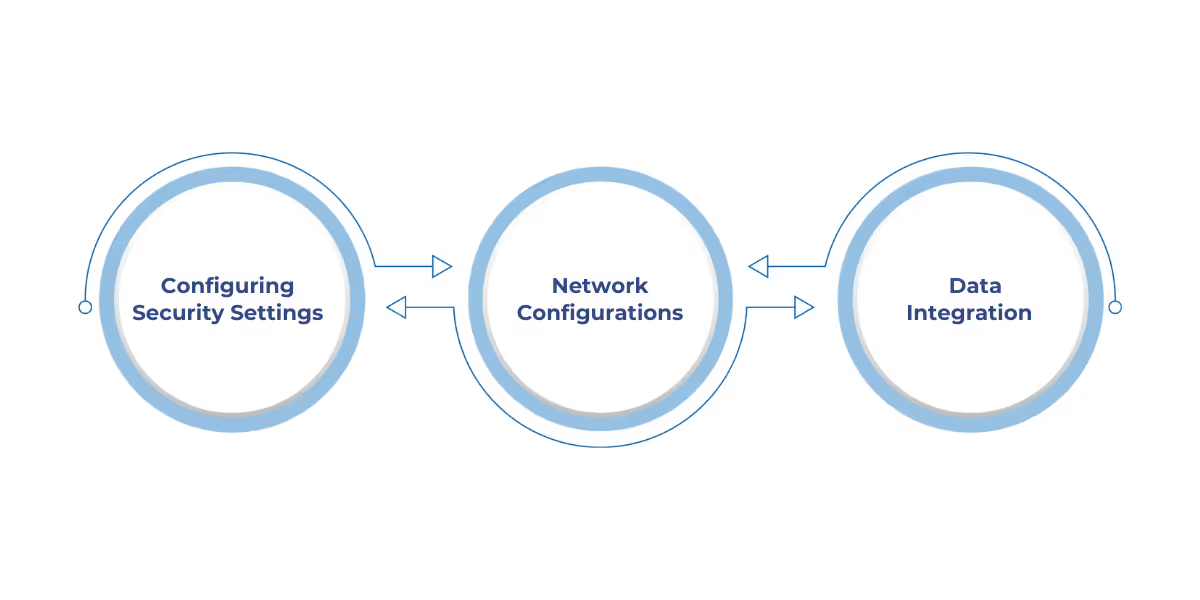
Configuration and setup are critical to ensuring your deployment is secure, scalable, and high-performing.
Addressing security, network configurations, and storage requirements from the start ensures smooth operations.
Some key configuration and setup practices include:
With the configuration done, focusing on a streamlined deployment process using automation tools accelerates the rollout and ensures consistency.
An efficient deployment strategy accelerates the rollout of Microsoft Fabric while ensuring consistency and reducing manual errors.
Automation tools play a key role in simplifying the deployment process.
Benefits of Automation:
After deployment, effective management and continuous monitoring are key to maintaining system health, optimizing performance, and minimizing downtime.
Also Read: Setting Up and Using Copilot for Data Factory in Microsoft Fabric

Effective post-deployment management and monitoring are crucial for ensuring system performance, minimizing downtime, and optimizing resource utilization.
Some key deployment management strategies include:

To ensure long-term success, addressing security challenges and implementing robust troubleshooting frameworks is essential.
Security and troubleshooting are two critical aspects of Microsoft Fabric deployment that must be proactively managed to ensure system reliability and data protection.
Effective security measures safeguard sensitive information, while a strong troubleshooting framework minimizes downtime and enhances operational efficiency.
Key challenges and best practices include:
Also Read: Thinking of Working with a Microsoft Fabric Partner? Here’s What to Expect
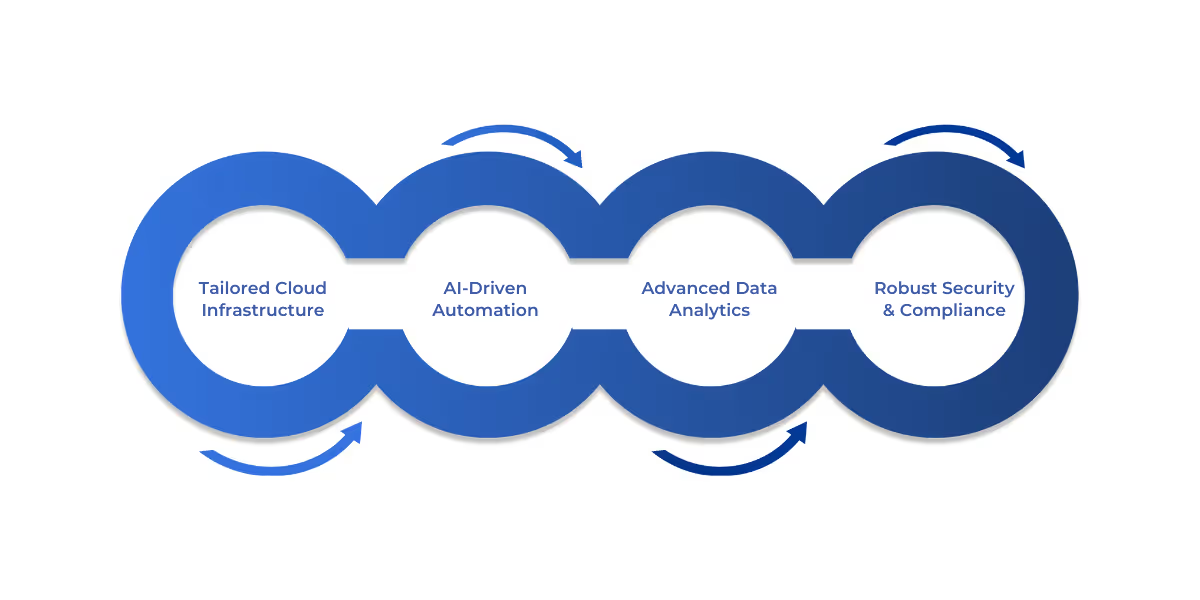
WaferWire Cloud Technologies offers customized Microsoft Fabric solutions for various industries, including retail, manufacturing, financial services, and utilities.
Our expertise includes:
Implementing best practices for Microsoft Fabric ensures efficient resource utilization, optimized performance, and controlled costs.
By utilizing tools such as Azure Monitor, dynamic scaling, and Azure Availability Zones, businesses can maintain high availability and enhance operational efficiency.
WaferWire offers expert support throughout your Microsoft Fabric deployment, from setup to ongoing management. We help optimize performance, manage costs, and ensure system reliability.
Contact WaferWire to enhance your Microsoft Fabric deployment for maximum efficiency.
Q: How can I ensure high availability for my Microsoft Fabric deployment?
A: To ensure high availability, distribute your resources across multiple Azure Availability Zones. This redundancy helps protect against localized failures, minimizing downtime and ensuring continuous service. Additionally, use Azure Load Balancer and Traffic Manager to manage traffic and reroute in case of failure.
Q: How do I optimize costs with Microsoft Fabric?
A: Use Azure Cost Management tools to track resource usage and spending patterns. By identifying underutilized resources and adjusting capacity based on demand, you can prevent over-provisioning and control expenses. Implementing dynamic scaling further helps reduce unnecessary costs during off-peak times.
Q: What role does dynamic scaling play in Microsoft Fabric deployments?
A: Dynamic scaling allows resources to be automatically adjusted in real-time based on workload demand. This ensures optimal performance during high demand and reduces costs when demand is low, making the deployment more efficient and cost-effective.
Q: What tools can help monitor the performance of my Microsoft Fabric deployment?
A: Azure Monitor is the primary tool for tracking key metrics such as CPU, memory usage, and network performance. It provides detailed insights into resource utilization, helping to identify and resolve performance bottlenecks or underutilized resources.
Q: How do I ensure compliance with industry regulations in Microsoft Fabric?
A: Microsoft Fabric integrates with compliance tools that help organizations adhere to industry standards like GDPR, HIPAA, and SOC 2. Regular audits, access control configurations, and automated compliance reports ensure that your deployment remains in line with regulatory requirements.




Efficient Microsoft Fabric deployment is essential for organizations aiming to harness the full potential of cloud technologies for data integration and analytics. Without proper management, organizations risk escalating costs, security concerns, and suboptimal performance.
This guide focuses on best practices that will help businesses optimize their Microsoft Fabric deployment for performance, security, and cost efficiency while aligning with organizational goals.
Pre-deployment planning involves identifying the right architecture, estimating resource requirements, and allocating team responsibilities.
This phase lays the foundation for a seamless Microsoft Fabric deployment, ensuring alignment with business goals.
Once planning is in place, configuring and setting up Microsoft Fabric with optimal settings ensures a secure, scalable, and efficient deployment.
Configuration and setup are critical to ensuring your deployment is secure, scalable, and high-performing.
Addressing security, network configurations, and storage requirements from the start ensures smooth operations.
Some key configuration and setup practices include:
With the configuration done, focusing on a streamlined deployment process using automation tools accelerates the rollout and ensures consistency.
An efficient deployment strategy accelerates the rollout of Microsoft Fabric while ensuring consistency and reducing manual errors.
Automation tools play a key role in simplifying the deployment process.
Benefits of Automation:
After deployment, effective management and continuous monitoring are key to maintaining system health, optimizing performance, and minimizing downtime.
Also Read: Setting Up and Using Copilot for Data Factory in Microsoft Fabric
Effective post-deployment management and monitoring are crucial for ensuring system performance, minimizing downtime, and optimizing resource utilization.
Some key deployment management strategies include:
To ensure long-term success, addressing security challenges and implementing robust troubleshooting frameworks is essential.
Security and troubleshooting are two critical aspects of Microsoft Fabric deployment that must be proactively managed to ensure system reliability and data protection.
Effective security measures safeguard sensitive information, while a strong troubleshooting framework minimizes downtime and enhances operational efficiency.
Key challenges and best practices include:
Also Read: Thinking of Working with a Microsoft Fabric Partner? Here’s What to Expect
WaferWire Cloud Technologies offers customized Microsoft Fabric solutions for various industries, including retail, manufacturing, financial services, and utilities.
Our expertise includes:
Implementing best practices for Microsoft Fabric ensures efficient resource utilization, optimized performance, and controlled costs.
By utilizing tools such as Azure Monitor, dynamic scaling, and Azure Availability Zones, businesses can maintain high availability and enhance operational efficiency.
WaferWire offers expert support throughout your Microsoft Fabric deployment, from setup to ongoing management. We help optimize performance, manage costs, and ensure system reliability.
Contact WaferWire to enhance your Microsoft Fabric deployment for maximum efficiency.
Q: How can I ensure high availability for my Microsoft Fabric deployment?
A: To ensure high availability, distribute your resources across multiple Azure Availability Zones. This redundancy helps protect against localized failures, minimizing downtime and ensuring continuous service. Additionally, use Azure Load Balancer and Traffic Manager to manage traffic and reroute in case of failure.
Q: How do I optimize costs with Microsoft Fabric?
A: Use Azure Cost Management tools to track resource usage and spending patterns. By identifying underutilized resources and adjusting capacity based on demand, you can prevent over-provisioning and control expenses. Implementing dynamic scaling further helps reduce unnecessary costs during off-peak times.
Q: What role does dynamic scaling play in Microsoft Fabric deployments?
A: Dynamic scaling allows resources to be automatically adjusted in real-time based on workload demand. This ensures optimal performance during high demand and reduces costs when demand is low, making the deployment more efficient and cost-effective.
Q: What tools can help monitor the performance of my Microsoft Fabric deployment?
A: Azure Monitor is the primary tool for tracking key metrics such as CPU, memory usage, and network performance. It provides detailed insights into resource utilization, helping to identify and resolve performance bottlenecks or underutilized resources.
Q: How do I ensure compliance with industry regulations in Microsoft Fabric?
A: Microsoft Fabric integrates with compliance tools that help organizations adhere to industry standards like GDPR, HIPAA, and SOC 2. Regular audits, access control configurations, and automated compliance reports ensure that your deployment remains in line with regulatory requirements.








.svg)
