



Thank you! Your submission has been received!
Oops! Something went wrong while submitting the form.



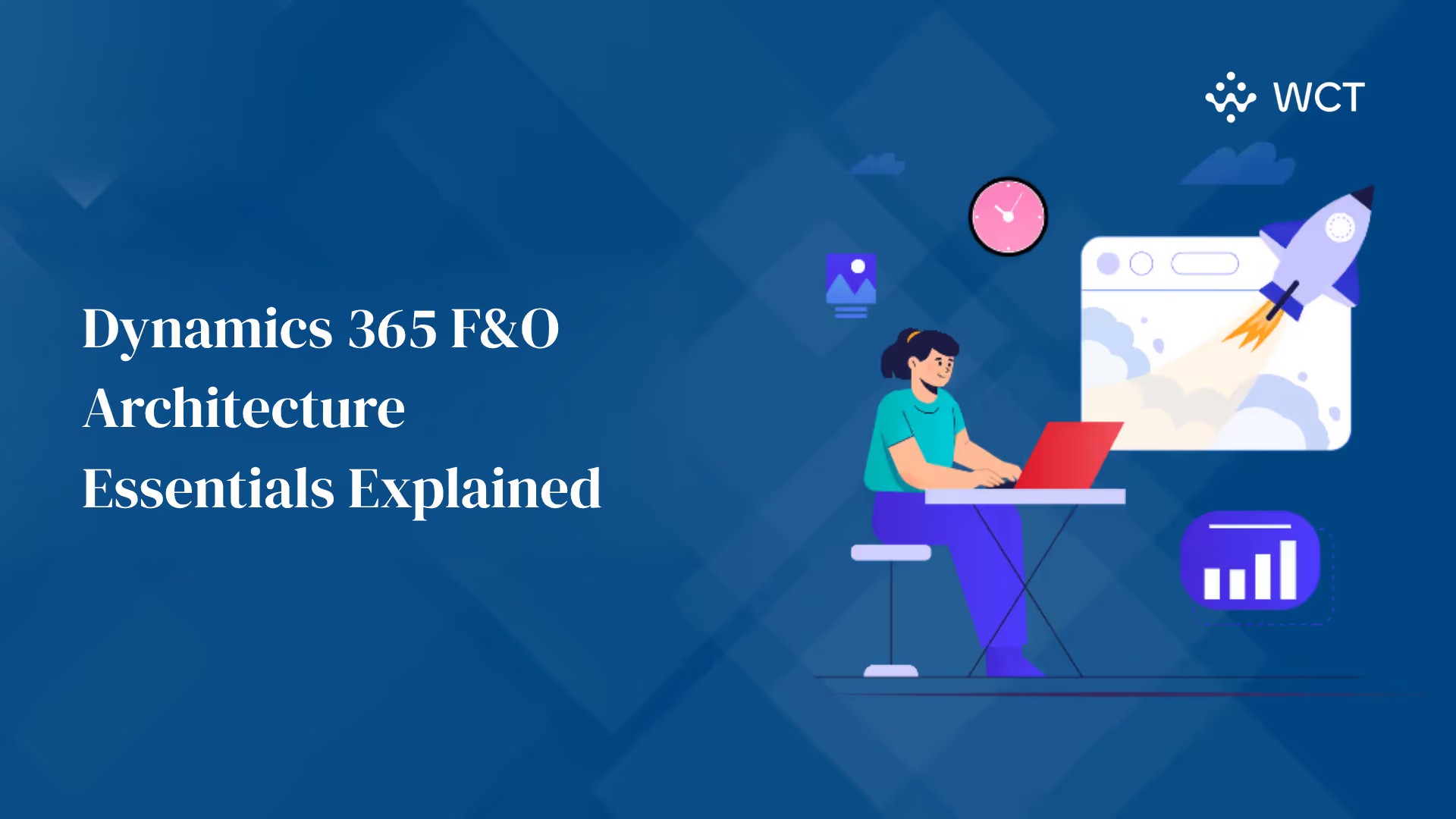
Enterprise Resource Planning (ERP) systems have evolved into the digital backbone of modern businesses. In 2025, ERP adoption is at an all-time high, with market spending reaching $147.7 billion and nearly 70% of large enterprises depending on ERP systems for day-to-day operations. As digital transformation accelerates, understanding the underlying architecture of leading ERP platforms like D365 F&O is no longer optional. It is essential for IT leaders, architects, and developers.
Whether you are planning a fresh implementation or trying to optimize an existing environment, having a clear grasp of D365 F&O architecture helps ensure performance, scalability, and integration readiness across both Azure-based and on-premises deployments.
This blog breaks down the key components of the D365 F&O architecture, explains how it differs in cloud vs. on-prem environments, and explores integration layers and best practices for modern enterprise setups.
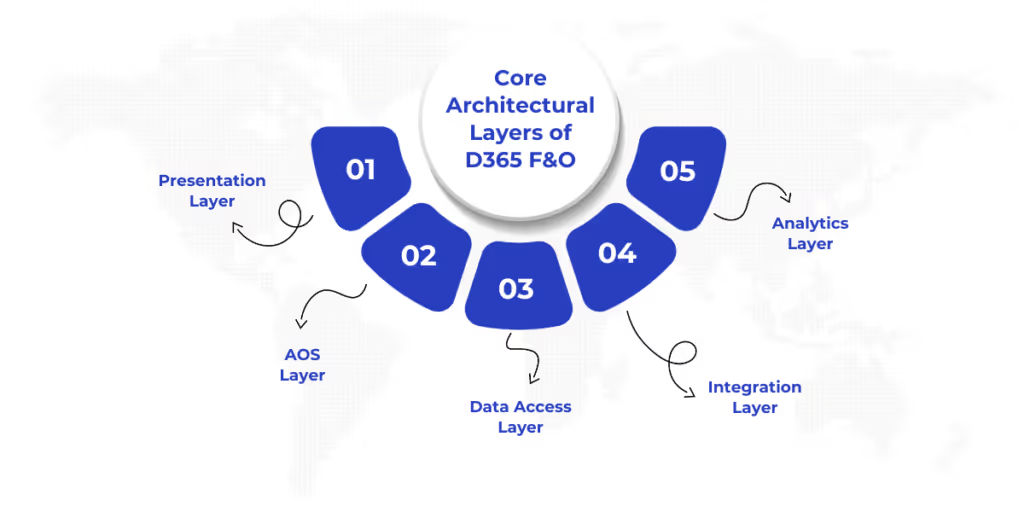
Understanding the building blocks of D365 F&O architecture is crucial for optimizing deployment, scaling, and integration. The system is structured into several key layers, each with a specific role in delivering business functionality and performance.
While the layered design offers a clear breakdown of internal functions, the way these components are deployed in a cloud-first setup can significantly impact performance and scalability.
While D365 F&O can be deployed on-premise, most organizations today adopt the cloud-native model on Microsoft Azure for its scalability, security, and manageability. Here's how the Azure-based architecture is structured:
Lifecycle Services (LCS) remains the central portal for all environment management tasks in cloud deployments. It supports:
Refer to Microsoft's LCS portal for hands-on guidance.
Despite the popularity of Azure-based models, many enterprises operate in regulated environments or face infrastructure constraints. That’s where hybrid configurations come into play.
Not all businesses can go fully cloud-native due to compliance, latency, or connectivity constraints. That’s where hybrid deployments for D365 F&O architecture offer flexibility by combining the best of both on-premise control and cloud-based services.
A hybrid setup allows core transactional processing (such as finance or inventory) to remain on-premises while extending analytics, integrations, and external apps to the cloud.
Running a hybrid or cloud-based ERP setup is only half the picture. Seamless integration with external systems is just as critical to unlocking full operational value.
Dynamics 365 F&O supports a modular, service-oriented integration architecture that enables seamless data flow between internal modules and external systems.
Once integration is in place, the next step is making sure your ERP platform runs efficiently at scale especially as workloads grow and user demands increase.
Efficient performance and the ability to scale are critical when deploying or customizing Dynamics 365 F&O for enterprise-grade workloads.
Beyond performance tuning, long-term success depends on how well the platform is governed, maintained, and updated over time.
Long-term success with D365 F&O architecture depends as much on governance and lifecycle control as it does on infrastructure.
Lifecycle Services continues to be the backbone for post-deployment management:
Strong lifecycle control rounds off a successful ERP deployment. But what does all this mean for your transformation roadmap?
As ERP systems become more central to enterprise operations, understanding the D365 F&O architecture becomes critical to ensure scalability, performance, and integration efficiency. Whether you opt for Azure-hosted, on-premise, or hybrid deployment, each model demands careful planning and continuous optimization.
A well-architected D365 F&O environment does more than just support transactions. It aligns business processes, enables better decision-making, and ensures resilience in the face of digital disruption.
WaferWire delivers more than just Dynamics 365 implementation. We bring architectural foresight, process maturity, and cloud-native thinking to every deployment.
Ready to optimize your D365 F&O architecture for the future? WaferWire can guide you every step of the way.



Enterprise Resource Planning (ERP) systems have evolved into the digital backbone of modern businesses. In 2025, ERP adoption is at an all-time high, with market spending reaching $147.7 billion and nearly 70% of large enterprises depending on ERP systems for day-to-day operations. As digital transformation accelerates, understanding the underlying architecture of leading ERP platforms like D365 F&O is no longer optional. It is essential for IT leaders, architects, and developers.
Whether you are planning a fresh implementation or trying to optimize an existing environment, having a clear grasp of D365 F&O architecture helps ensure performance, scalability, and integration readiness across both Azure-based and on-premises deployments.
This blog breaks down the key components of the D365 F&O architecture, explains how it differs in cloud vs. on-prem environments, and explores integration layers and best practices for modern enterprise setups.
Understanding the building blocks of D365 F&O architecture is crucial for optimizing deployment, scaling, and integration. The system is structured into several key layers, each with a specific role in delivering business functionality and performance.
While the layered design offers a clear breakdown of internal functions, the way these components are deployed in a cloud-first setup can significantly impact performance and scalability.
While D365 F&O can be deployed on-premise, most organizations today adopt the cloud-native model on Microsoft Azure for its scalability, security, and manageability. Here's how the Azure-based architecture is structured:
Lifecycle Services (LCS) remains the central portal for all environment management tasks in cloud deployments. It supports:
Refer to Microsoft's LCS portal for hands-on guidance.
Despite the popularity of Azure-based models, many enterprises operate in regulated environments or face infrastructure constraints. That’s where hybrid configurations come into play.
Not all businesses can go fully cloud-native due to compliance, latency, or connectivity constraints. That’s where hybrid deployments for D365 F&O architecture offer flexibility by combining the best of both on-premise control and cloud-based services.
A hybrid setup allows core transactional processing (such as finance or inventory) to remain on-premises while extending analytics, integrations, and external apps to the cloud.
Running a hybrid or cloud-based ERP setup is only half the picture. Seamless integration with external systems is just as critical to unlocking full operational value.
Dynamics 365 F&O supports a modular, service-oriented integration architecture that enables seamless data flow between internal modules and external systems.
Once integration is in place, the next step is making sure your ERP platform runs efficiently at scale especially as workloads grow and user demands increase.
Efficient performance and the ability to scale are critical when deploying or customizing Dynamics 365 F&O for enterprise-grade workloads.
Beyond performance tuning, long-term success depends on how well the platform is governed, maintained, and updated over time.
Long-term success with D365 F&O architecture depends as much on governance and lifecycle control as it does on infrastructure.
Lifecycle Services continues to be the backbone for post-deployment management:
Strong lifecycle control rounds off a successful ERP deployment. But what does all this mean for your transformation roadmap?
As ERP systems become more central to enterprise operations, understanding the D365 F&O architecture becomes critical to ensure scalability, performance, and integration efficiency. Whether you opt for Azure-hosted, on-premise, or hybrid deployment, each model demands careful planning and continuous optimization.
A well-architected D365 F&O environment does more than just support transactions. It aligns business processes, enables better decision-making, and ensures resilience in the face of digital disruption.
WaferWire delivers more than just Dynamics 365 implementation. We bring architectural foresight, process maturity, and cloud-native thinking to every deployment.
Ready to optimize your D365 F&O architecture for the future? WaferWire can guide you every step of the way.




.svg)
